
Products / Scriptura
Find the passage.
Follow the meaning.
Ask the scriptures in your own words. Scriptura brings matching passages together, helps you read them in context, and lets you follow a thought further. Free for Windows and Android.
No account. No ads. Works offline after setup.
Download details and installation help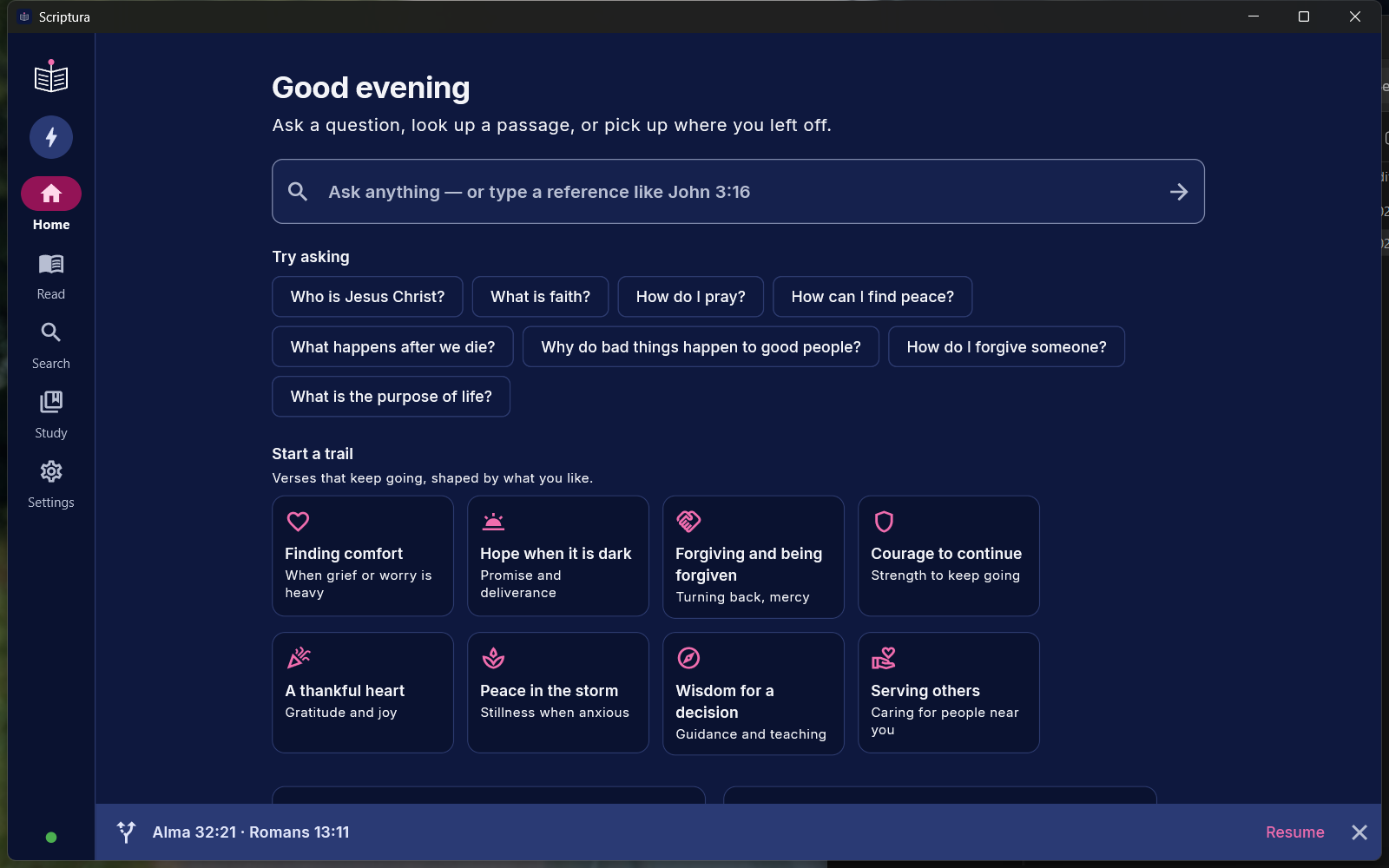
Search
A question leads
to a passage.
“How can I find peace?”
“How do I forgive someone?”
“I am afraid of the future.”
Search by meaning across the scriptures, or narrow your search to one volume. Matching verses from the same chapter stay together, with the strongest-ranked passage selected first.
You can also find an exact phrase, go straight to a reference like John 3:16, or ask about a person or place.
Matching passages
Revelation 12:3–4, 7, 13–17
One chapter. Three passages.
Choose a reference to exploreZechariah 5:7
A different chapter, a separate result.
Selected passage
Revelation 12:13–17
13 And when the dragon saw that he was cast unto the earth, he persecuted the woman which brought forth the man child.
Excerpt from Revelation 12:13 · KJV
Answer Focus
A closer look at
what answers you.
Finding the same topic is a start. Answer Focus gives the retrieved passages another relevance check, aiming to put those that answer your question first.
Choose from four models and decide how many results to check: 10, 15, 30, 60 or 100. Time allowances adjust to the model and limit. More thorough searches can take longer, especially on slower devices.
Use Automatic, turn it On, or switch it Off. Your question and the relevance check stay on your device.
Inside Settings · Answer Focus
Up to 60 passages get a closer relevance check. Larger pools can take longer to process.
An illustration of the controls. Change your model and limit in the app; this demo does not change your settings.
Read what surrounds it
Keep your place.
See the whole chapter.
On Windows, preview the chapter beside your results. On a phone, tap a result to open the reader. All matched verses remain highlighted, and reference chips move you between passages.
The selection follows your theme. Copy the matched passages with accurate references—including the gaps—and return to your results without starting again.
Ctrl + Alt + Space
Bring up quick search while working in another app. Enable it in Settings and keep Scriptura running in the tray.
Trails
Stay with a thought
for a while.
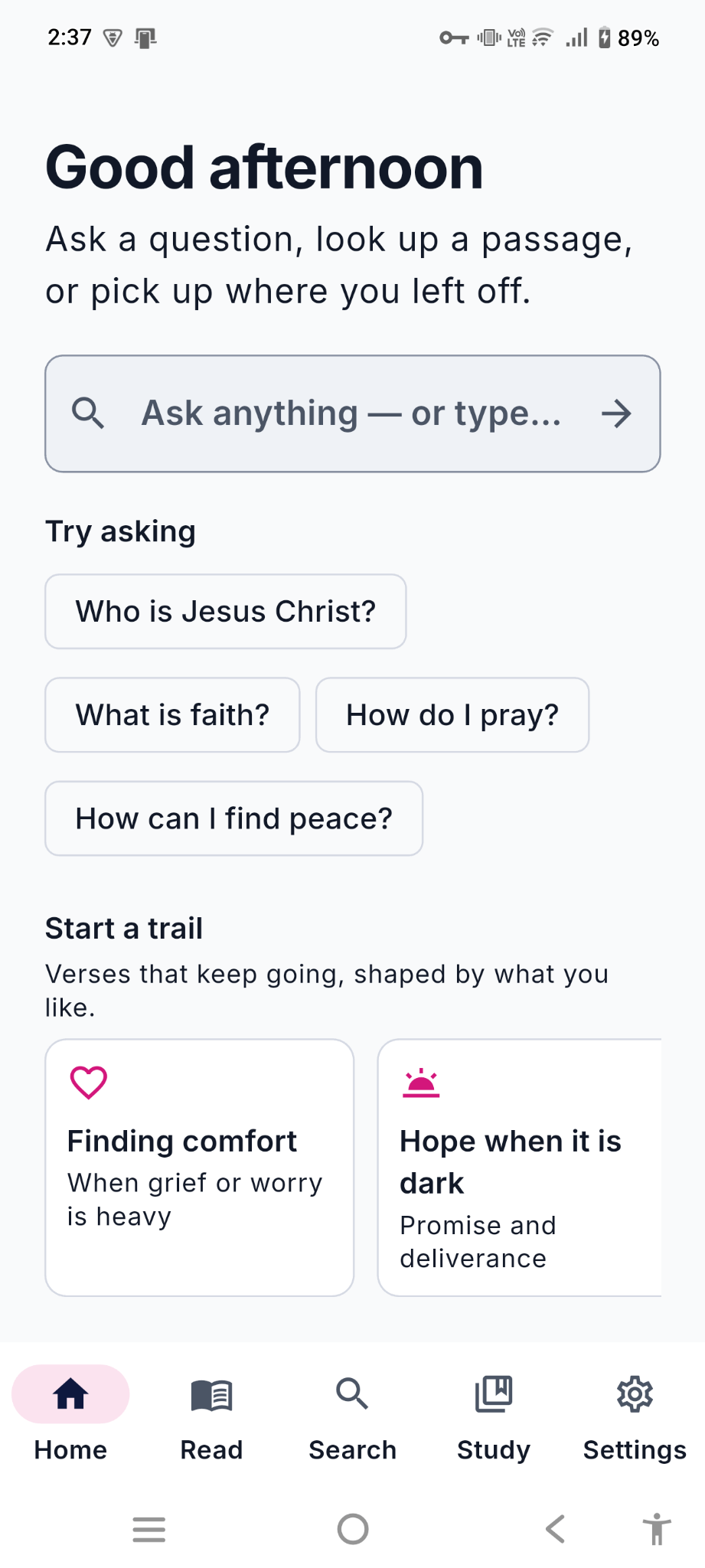
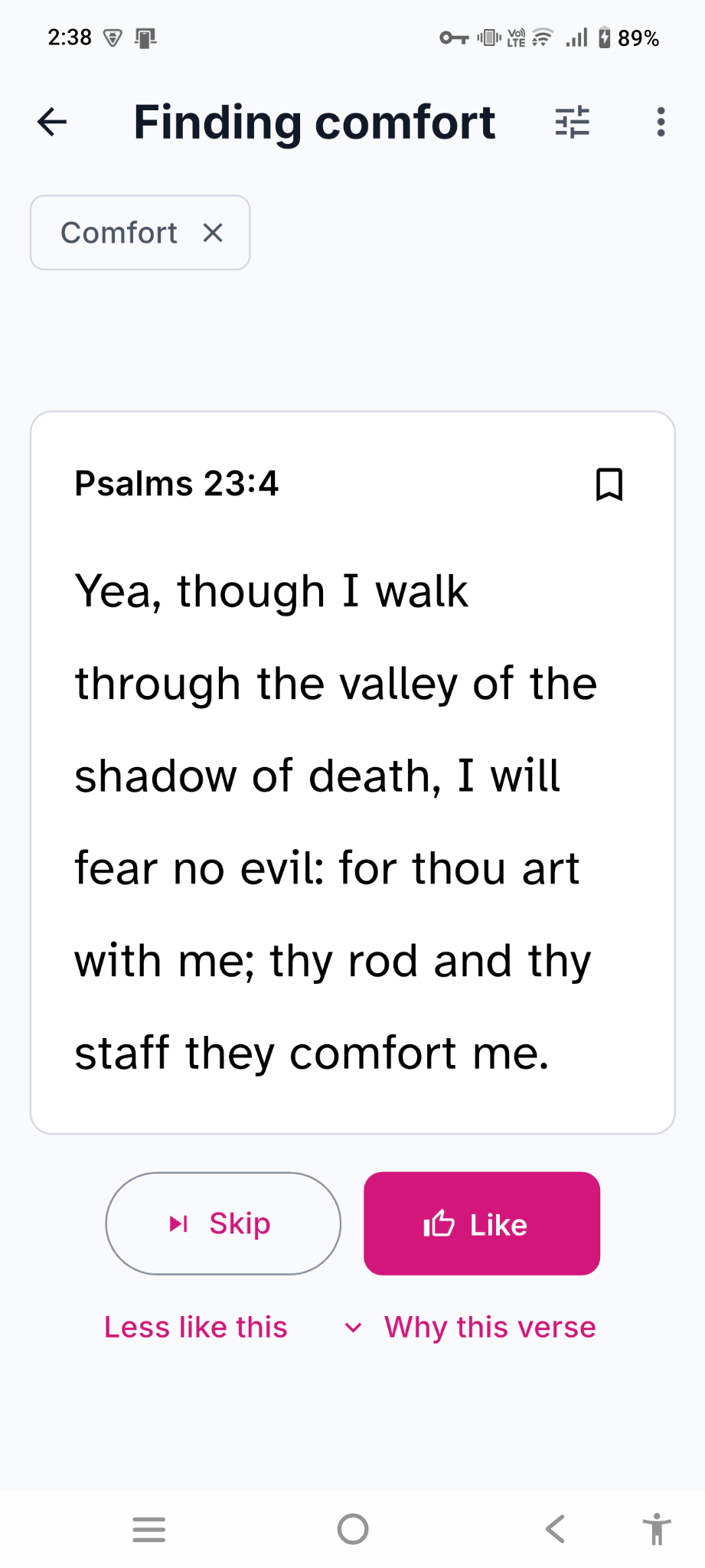
Begin with a question, a verse, or one of eight starters. A Trail brings you one verse after another to explore. Choose Like for more like it, Skip to move on, or Less like this to change direction.
Each verse comes with a short explanation of why it was chosen. What your Trail learns stays on your device.
“Yea, though I walk through the valley of the shadow of death, I will fear no evil: for thou art with me…”
Psalm 23:4 · Finding comfort
Eight Trails to begin with
- Finding comfort
- When grief or worry is heavy
- Hope when it is dark
- Promise and deliverance
- Forgiving and being forgiven
- Turning back, mercy
- Courage to continue
- Strength to keep going
- A thankful heart
- Gratitude and joy
- Peace in the storm
- Stillness when anxious
- Wisdom for a decision
- Guidance and teaching
- Serving others
- Caring for people near you
Reading & study
Make the page
comfortable for you.
Choose one of seven reading styles, or set your own page colour, typeface, text size, spacing and line width.
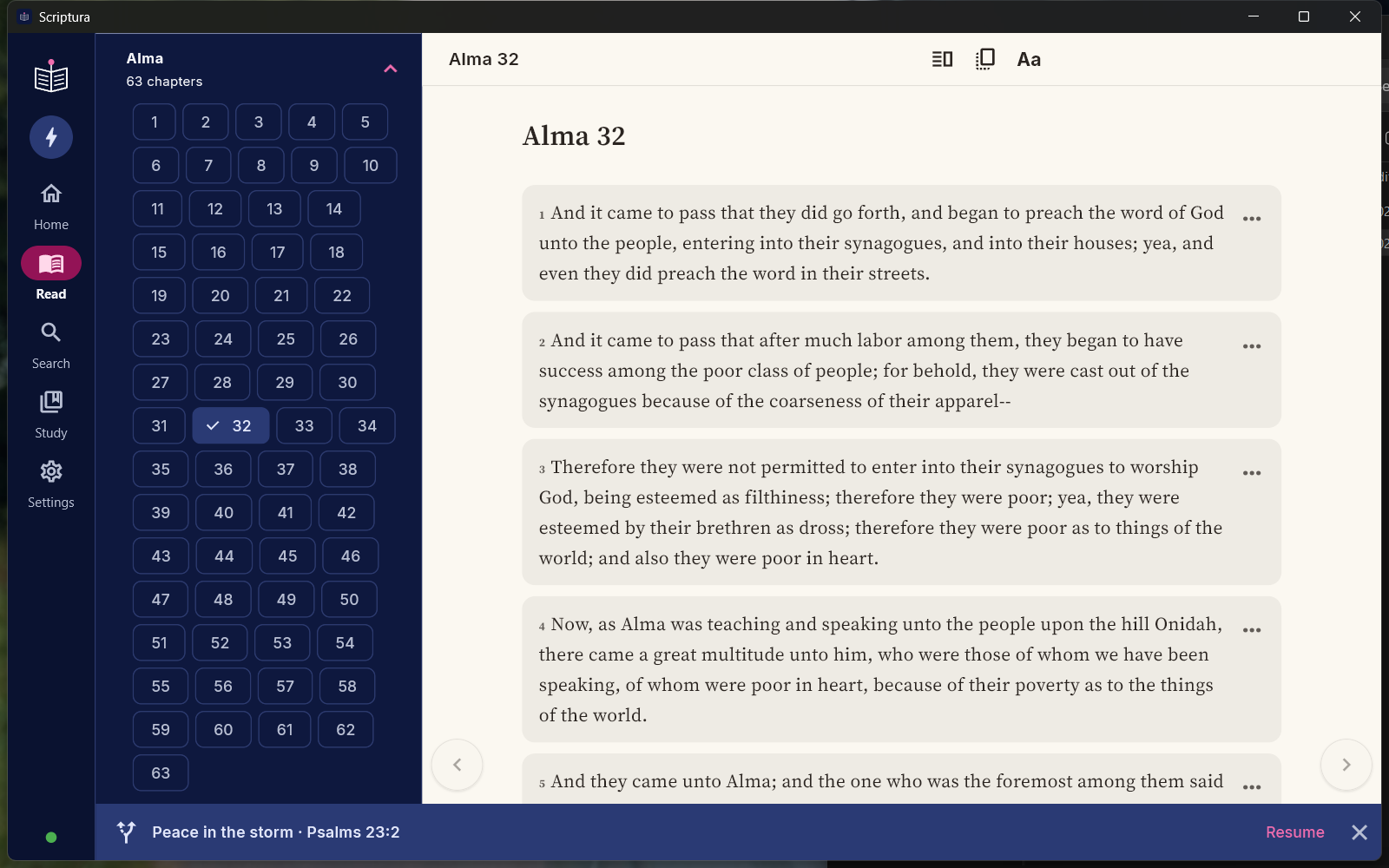
- Book
- A classic serif on a paper page.
- E-reader
- Warm page, large type, narrow lines.
- Web
- Clean type on a white page.
- App
- A separate card for each verse.
- Study desk
- A compact layout for working across verses.
- Night
- Warm text on true black.
- Large print
- Bigger type, high contrast, more space.
Keep what you find.
Save bookmarks, coloured highlights, notes and collections. Back them up and export them. Your place is remembered when you return.
Read across languages.
English, Spanish, Tagalog, Cebuano and Greek. Read two languages side by side.
Take a closer look.
Explore similar verses, study questions, people and places. Open a passage in context from your search results.
The Holy Bible · The Book of Mormon · Doctrine and Covenants · Pearl of Great Price
- No account or sign-in.
- Your searches and Answer Focus run locally. Notes, highlights and Trails stay on your device unless you choose to export or share them.
- Set up once. Read offline.
- Download the text and search packs, then read and search without internet. Additional packs and updates need a connection.
- No price, ads or subscription.
- Scriptura is free and will never be sold.
Is Scriptura free?
Yes. No price, no subscription and no ads. Scriptura will never be sold.
Does it work without internet?
Yes. Download the scripture text and search data during setup, then read and search offline. Search data and optional models can take several gigabytes, so use Wi-Fi and check the sizes shown in the app. Answer Focus runs on your device too.
Do I need an account?
No. There is no sign-in. Your questions, notes, highlights and Trails stay on your device. You can make your own backup in Settings.
Which scriptures are included?
The Holy Bible, the Book of Mormon, the Doctrine and Covenants and the Pearl of Great Price.
Which languages can I read?
English, Spanish, Tagalog, Cebuano and Greek. You can also read two languages side by side.
Can I make the text easier to read?
Yes. Choose Large print or Night, or adjust the page colour, typeface, text size, spacing and line width. Scriptura also supports screen readers.
What is Answer Focus?
An optional extra relevance check that reorders passages for your question. Choose Ezra, Apollos, Priscilla or Aquila, and a limit of 10, 15, 30, 60 or 100 results. Processing time depends on the model, limit and device. Automatic, On and Off modes let you decide how to use it.
Why are several references in one result?
In grouped view, matches from the same chapter share one card, even when there are gaps between them. The strongest-ranked passage is selected first. Choose another reference to move to it; matches in different chapters remain separate.
Is it available on iPhone or Mac?
Not yet. Scriptura is available for Windows and Android. It is not currently on Google Play or the Microsoft Store. Use the download buttons below.
How should I use the search results?
Scriptura suggests verses that match the meaning of your question. It is a reading aid, not a teacher of doctrine. Always read the verses in context; the app makes that one tap away.
Is this an official church app?
No. Scriptura is an independent, free app developed by Scriptura Labs. It is not endorsed by any church.

Windows & Android
Download Scriptura.
Latest release on GitHub
Windows 10 or 11, 64-bit. Android with a 64-bit ARM processor (arm64).
Not yet available for iPhone, iPad or Mac, or through Google Play or Microsoft Store.
First-time setup
The installer is just the beginning. Scriptura downloads its scripture text and search packs during setup. Use Wi-Fi and allow several gigabytes for search data and any extra models you choose; the app shows pack sizes before download.
Installing on Windows
Download Scriptura-Setup.exe using the Windows button and open it. The installer is currently unsigned, so Windows may show a SmartScreen notice. Check that you downloaded it from scriptura.space before deciding to proceed.
Installing on Android
Download Scriptura.apk using the Android button. Open it and, if prompted, allow installation from the browser or file manager you used. The current APK is for arm64 devices.
Find your installed version and check for updates in Settings. The download buttons always point to the latest published release.